Licensing & updates
Try Udon free for 5 days, buy a lifetime license for your Mac, check your license, and install updates.
Udon is a one-time purchase: a lifetime license for one Mac, with updates included. There's no subscription to renew.
Try for 5 days
Try every Udon feature free for 5 days on a new Mac, with no card required. Existing licenses keep the end date already granted. Reinstalling does not reset the clock. A banner at the top of the dashboard shows the days left. Buy Udon opens Settings → License, and the × hides the banner until your next browser session. The last step of the setup wizard shows the days left too, with Purchase Udon.


License & About
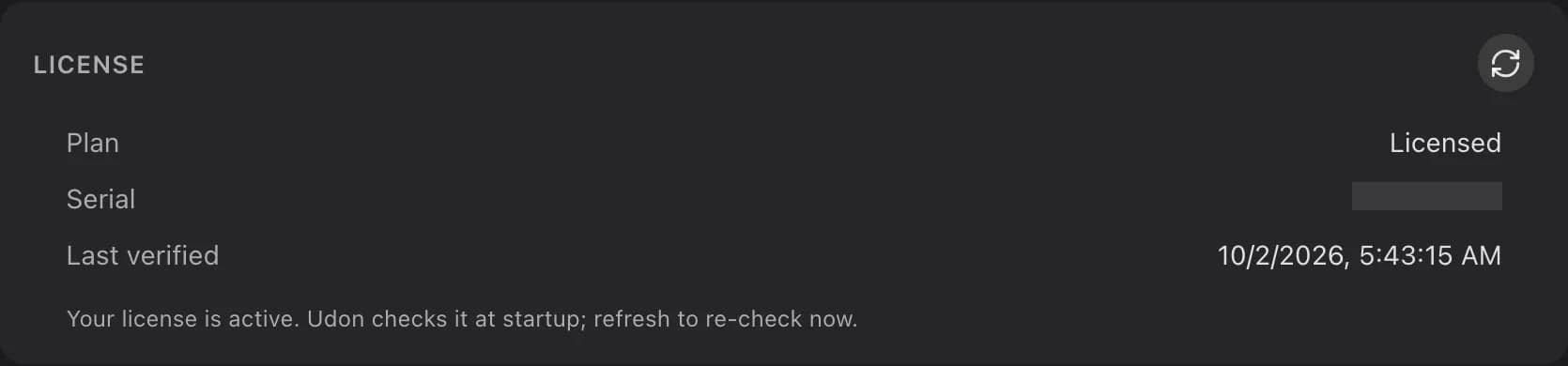
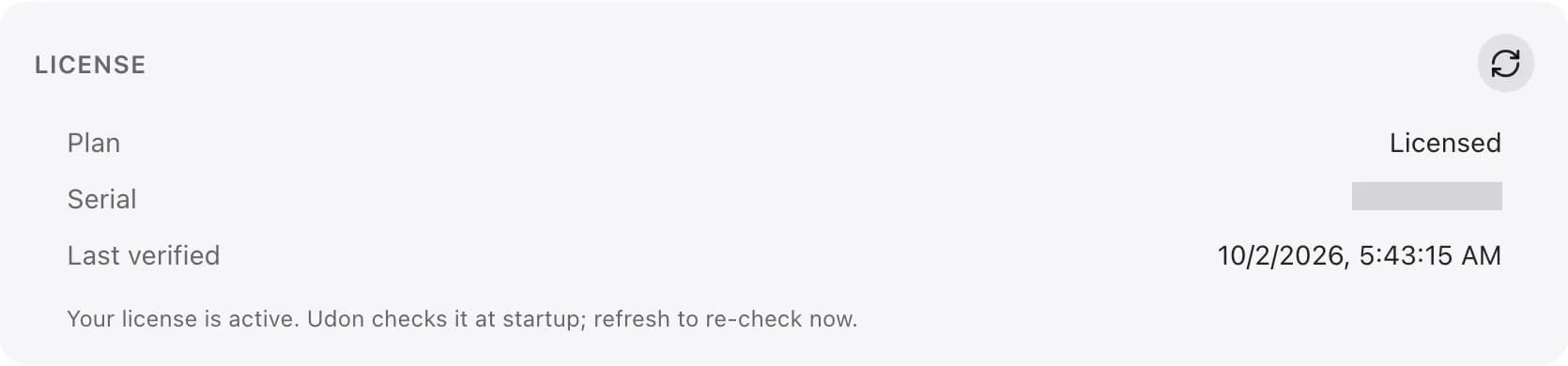
Settings → License shows the License card: your Plan and any days left, the Serial the license is tied to, and when Udon Last verified it.
- Purchase Udon opens checkout in a new tab with this Mac's serial attached. Udon does not watch for the payment: once you have paid, click the circular arrow (Re-check license now) on the License card, or on the setup wizard's last step if you bought from there, and the license appears. Until then Udon only checks the license at startup and with its hourly update check. Allow pop-ups for Udon if the browser blocks the new tab.
- Tied to your Mac's serial number, no accounts. Dashboard accounts control access to the Mac. A license cannot be transferred to another Mac. Reinstalling on the same Mac restores its existing entitlement when Udon next verifies online.
If Udon can't verify your license
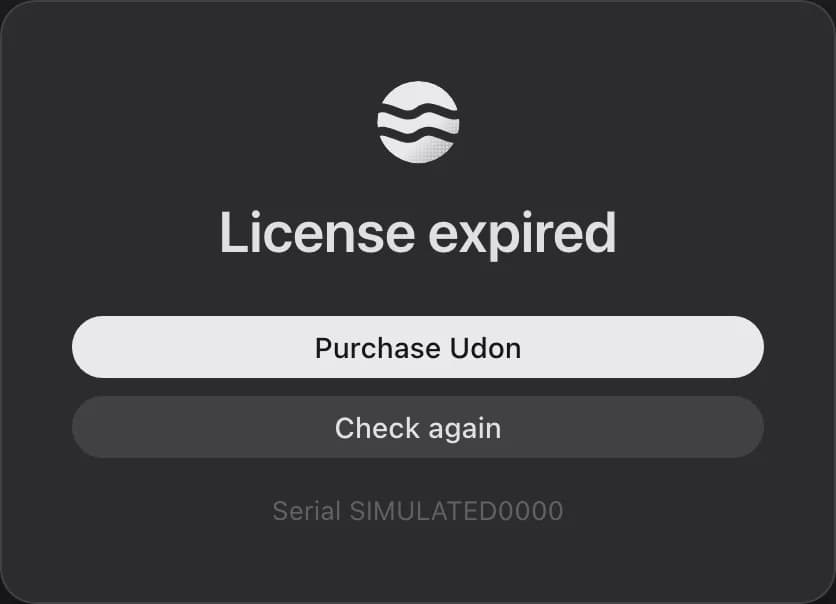
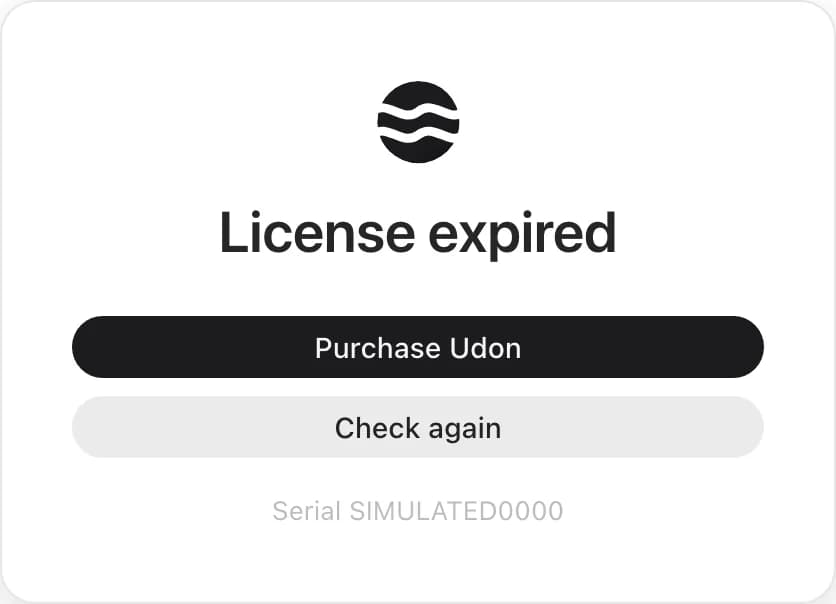
Udon replaces the whole dashboard with a lock screen when your free access ends, when the license is revoked or a paid license becomes inactive, when an unpaid license has not reached the license server for 7 days, or 24 hours after the first run if the license has never been verified. The heading names the reason, such as an expired license or License not verified, and the screen shows this Mac's serial.
Running containers keep running. The lock blocks management actions while sign-in, license verification, setup diagnostics, and update recovery remain available. Click Check again once you're back online, or Purchase Udon when buying would fix it. The dashboard returns as soon as the license verifies. For a revoked license, contact [email protected] before buying again. If the check cannot reach the license service, Udon reports the failed check and keeps the last verified license state. A paid license keeps working offline without a time limit; free offline access ends after seven days or at the granted end date, whichever comes first. See Udon is locked for purchase delays and clock changes.
Updates
Udon checks for new releases at startup, about once an hour, and after it wakes or reconnects when a check is due. Installing one is always an admin's choice and keeps your accounts, settings, and data; see Updating.
When the assigned build differs from the one running, an update button (an arrow pointing up, "Update Udon to x.y.z" on hover) appears in the dashboard's toolbar, in the row with the edit button. On a phone, it's in the menu behind the top-right button. Click it to read the release notes. An admin can click Install there; Udon installs the update and checks that the new version is ready before reloading the page. If startup checks fail, Udon restores the previous version and reports the result so you can keep using the dashboard. A lost connection does not erase a previously found update. For a failed check, an interrupted install, or a rollback, follow Update recovery.


The About card in Settings → License shows the running Version, a Changelog button for this release's notes, and either Update (when a release is ready) or a refresh button (Check for updates now). While an update waits, an accent dot marks Settings in the sidebar and License inside it.
Development Macs and Beta
Udon ships one build per version. Udon support can mark a Mac as Dev in the license backend. A Dev Mac gets Beta updates and uses sandbox payments, and the License card in Settings → License shows a Mode row reading Development mode. A Mac without the Dev flag has no Mode row. There is no setting for this on the Mac.
Sandbox purchases and license checks stay separate from the Mac's live license. Udon re-checks the license with every hourly update check, so when support removes the Dev flag the Mac moves back to its live license and live payments within the hour. The next update check offers Stable, which can have an older version number than Beta.
Menu bar app
Finish setup in the Welcome window, start and stop Udon, keep the Mac awake, check permissions, and uninstall Udon from its macOS menu bar app.
Security
How Udon protects your Mac home server with a non-root daemon, HTTPS, strict session cookies, and hashed passwords, and how to report a vulnerability.