Terminal & remote desktop
Open a shell on your Mac from the browser, keep sessions running between visits, and view or control the Mac's screen through macOS Screen Sharing.
Two pages reach the Mac itself from a browser: Terminal, a shell on the Mac, and Remote Desktop, which shows and controls its screen through macOS Screen Sharing (VNC). Both need an admin account.
Terminal
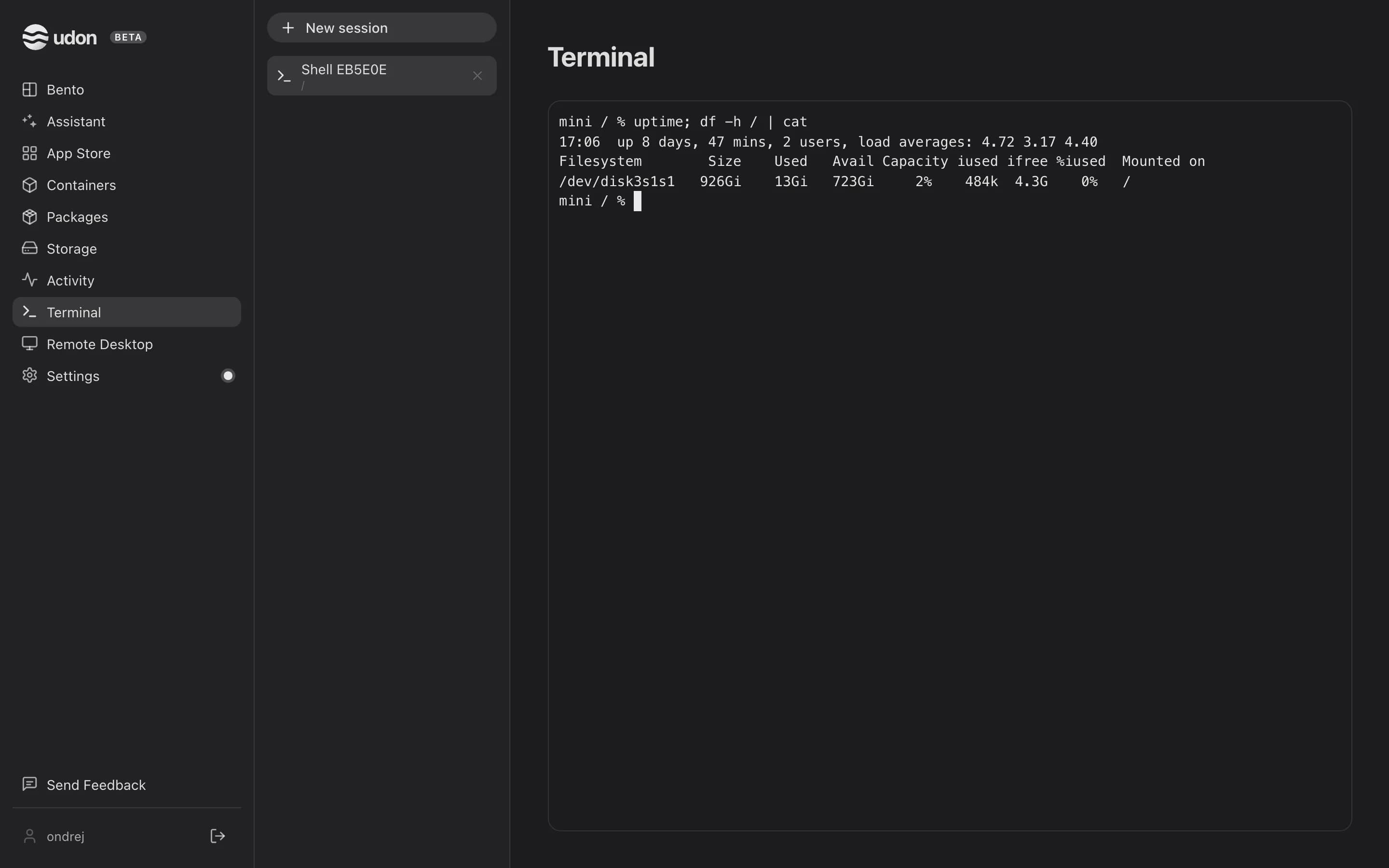
Terminal in the sidebar opens login shells on the Mac ($SHELL -l, /bin/zsh by default),
started by the daemon in your home folder. Until you open one, the page says "No terminal
sessions." and offers New session.
Sessions
Each shell is a session, listed with its working directory in a column beside the sidebar. Click New session above the list to open another, and click a row to switch to it. Sessions live on the Mac, so they keep running when you leave the page, reload, or close the tab. Udon keeps up to 32; opening another closes the oldest. Restarting the daemon ends them all.
To close a session, click the × on its row, then click it again within three seconds to confirm.
The pane resizes to fit, and full-screen tools such as vim, htop, and less reflow with it.
Cmd/Ctrl + C copies a selection; with nothing selected, Ctrl + C sends an interrupt.
Cmd/Ctrl + V pastes.
If the connection drops, the pane shows "Reconnecting…" and reattaches by itself, replaying the session's recent output. A session that was closed, evicted, or lost in a daemon restart ends instead; open a new one to continue. A shell that already exited shows its last output and no prompt.
Console on a running container and Open Terminal Here on a folder in Storage also open a session, attached to the container's shell or started in that folder.
On a phone
Terminal opens on the list of sessions. Tap one to open it full screen, and tap the back arrow to return. The button in the top-right corner opens a menu with New session on the list, or with the × that closes the open session (tap it twice).
On a touch screen, a key row above the keyboard adds the keys a touch keyboard lacks: Esc, Tab,
Ctrl and Alt (each applies to the next key you type), ~, |, /, -, the four arrows, and
Paste. Pinch to change the font size on that device.
Remote Desktop
Remote Desktop in the sidebar streams the Mac's screen through macOS Screen Sharing. Udon bridges it into the browser, so there's no separate server to run and no port to forward.
- In Settings → Sharing → Services, turn on Screen Sharing (VNC). This needs Admin Privileges. While it's off, the Remote Desktop page says so and offers Open Sharing settings.
- Open Remote Desktop and sign in with a macOS account's username and password.
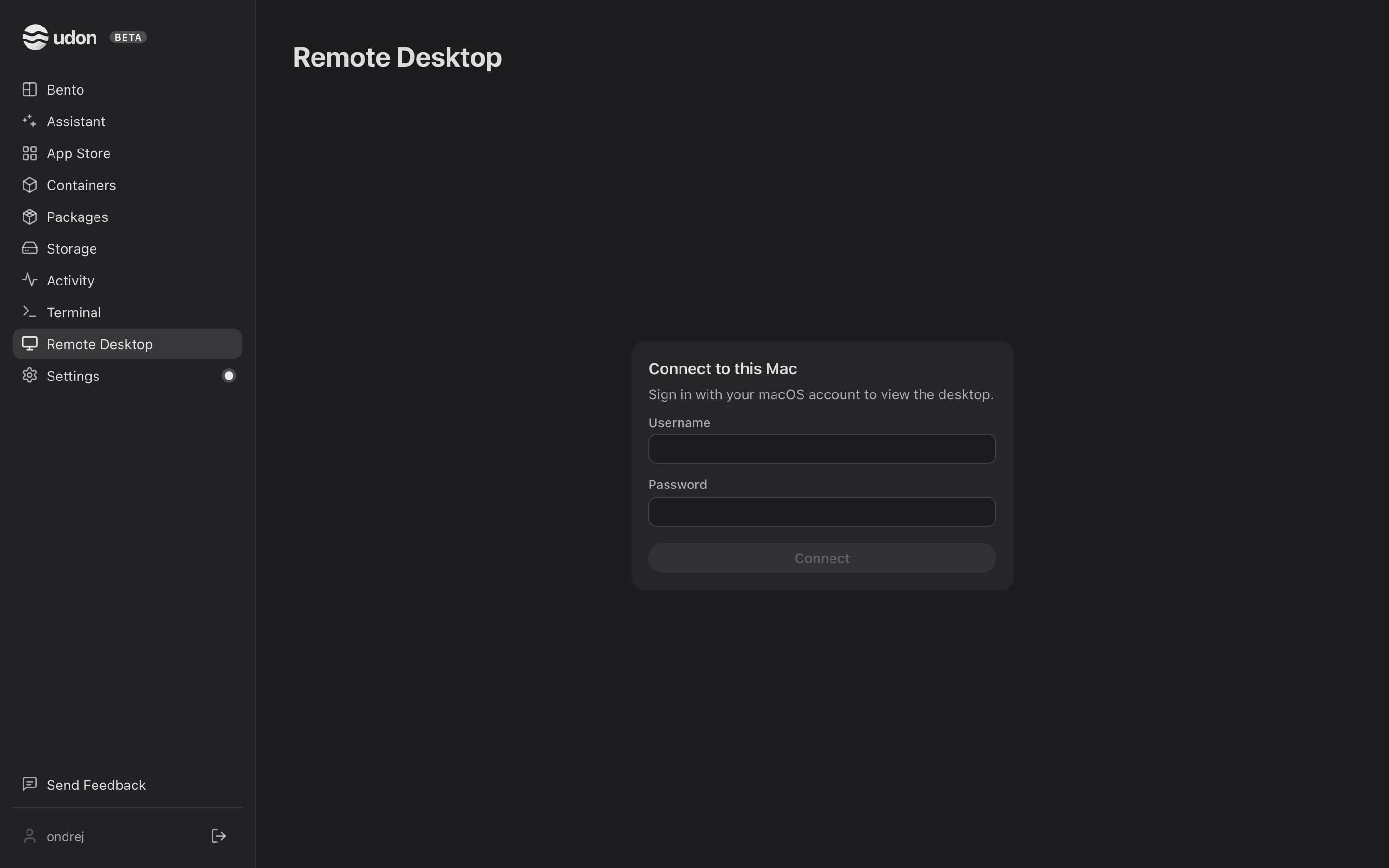
Your password goes to Screen Sharing over the encrypted connection, and Udon's daemon never sees it. The browser remembers the username but never the password.
Once connected, the sidebar slides away behind a chevron and the Mac's screen keeps its aspect ratio. The toolbar across the top has icon buttons; hover one for its name:
- Disconnect: the × at the left end.
- Stream quality: five steps from Best picture to Fastest. It starts on Fastest and remembers what you pick.
- Mission Control, App Windows, Show Desktop, and Spotlight.
- Two clipboard buttons: send your clipboard to the Mac, or copy the Mac's clipboard here.
On a phone
A touch bar replaces the mouse. In trackpad mode, the default, drag anywhere to move a cursor, tap to click, long-press to right-click, and drag with two fingers to scroll. Tap the cursor button to switch to direct touch, where a tap clicks the spot you touch. ⌘, ⌃, ⌥, and ⇧ apply to the next key, so you can tap ⌘ then Q. The keyboard button types on the Mac. Pinch to zoom, and tap 1× to reset.
With Screen Sharing on, Settings → Sharing also shows the Mac's Screen Sharing address
(vnc://your-mac.local:5900) for any VNC client. Away from home, reach it over Tailscale, the
same way as the dashboard; see Network & remote access.
Network & remote access
Set the Mac's IP address and DNS, connect Tailscale, serve the dashboard with a trusted certificate, and reach your containers remotely by their own IPs.
AI Assistant & MCP
Connect Claude, GPT, a local model, or a coding CLI to deploy and debug apps by chat, and expose Udon's tools to external AI clients over MCP.