The dashboard
Arrange live dashboard tiles, pin container apps, set a wallpaper and theme, restart the Mac, and search containers, settings, and files with Cmd+K.
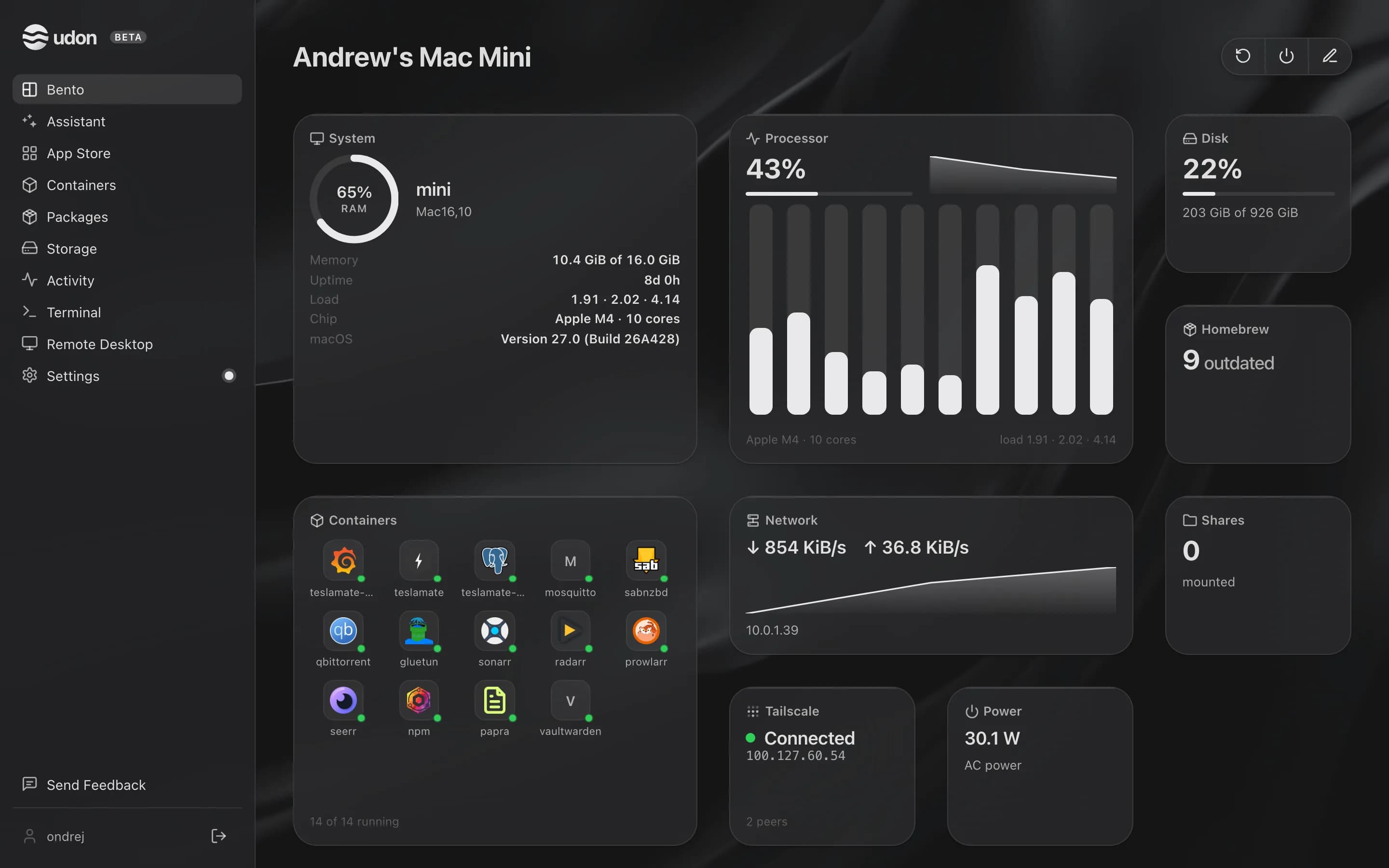
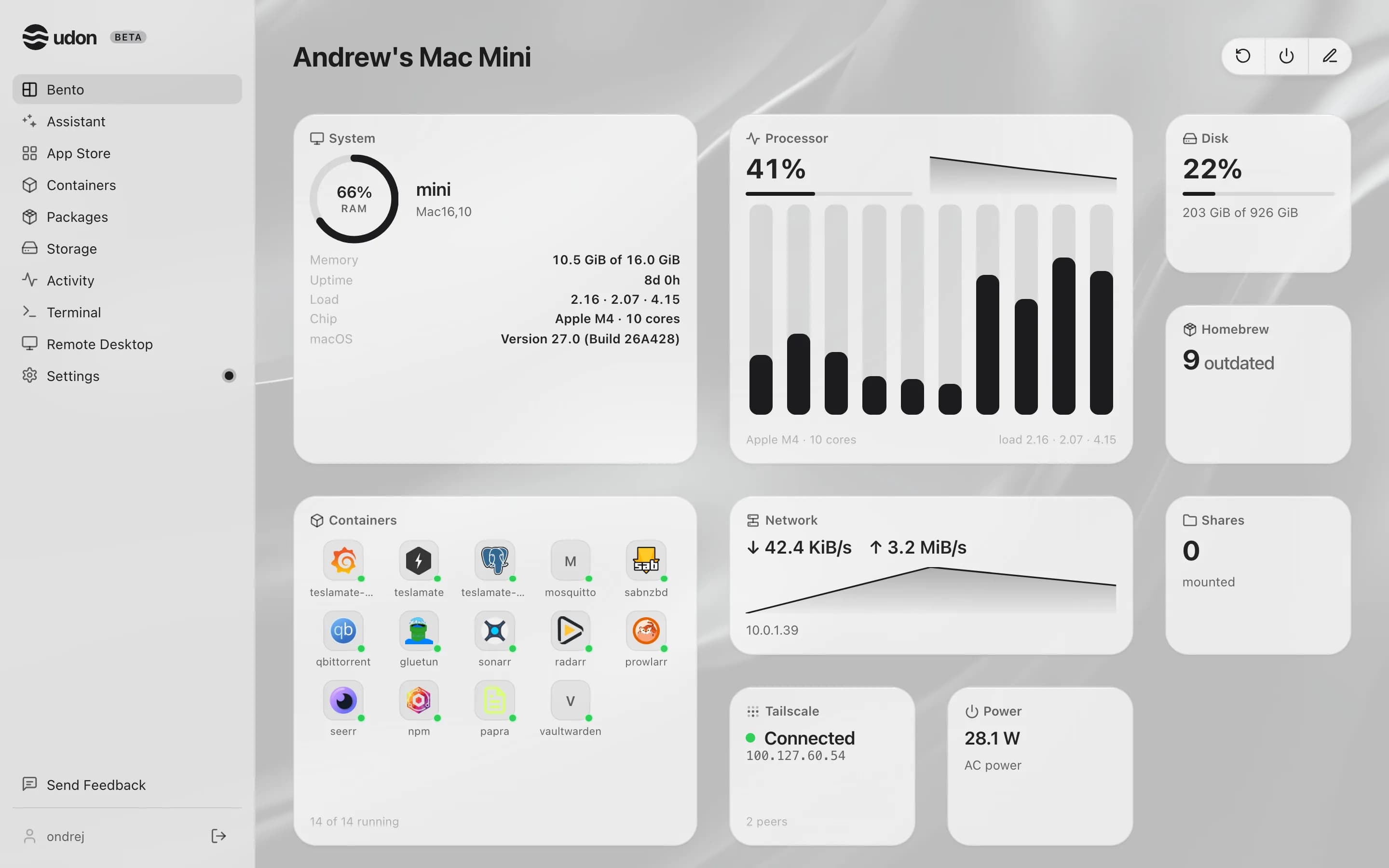
The dashboard, Bento in the sidebar, is the first page you see after signing in. It holds pages of tiles with live data from the Mac, and each account keeps its own layout.
Pages and tiles
Tiles come in three sizes, small, medium, and large, on up to six pages; Homebrew and Tailscale stop at medium. Move between pages by swiping, with the arrow keys, or by clicking a page dot.
- Stock widgets report on the Mac: Processor, System, Containers, Network, Disks, Power, Shares, Homebrew, and Tailscale. Each fits its layout to its size, and clicking one opens the page it summarizes.
- App tiles are containers you pinned (see below).
- Custom widgets are tiles you build in the Widget Editor.
Rearrange the dashboard
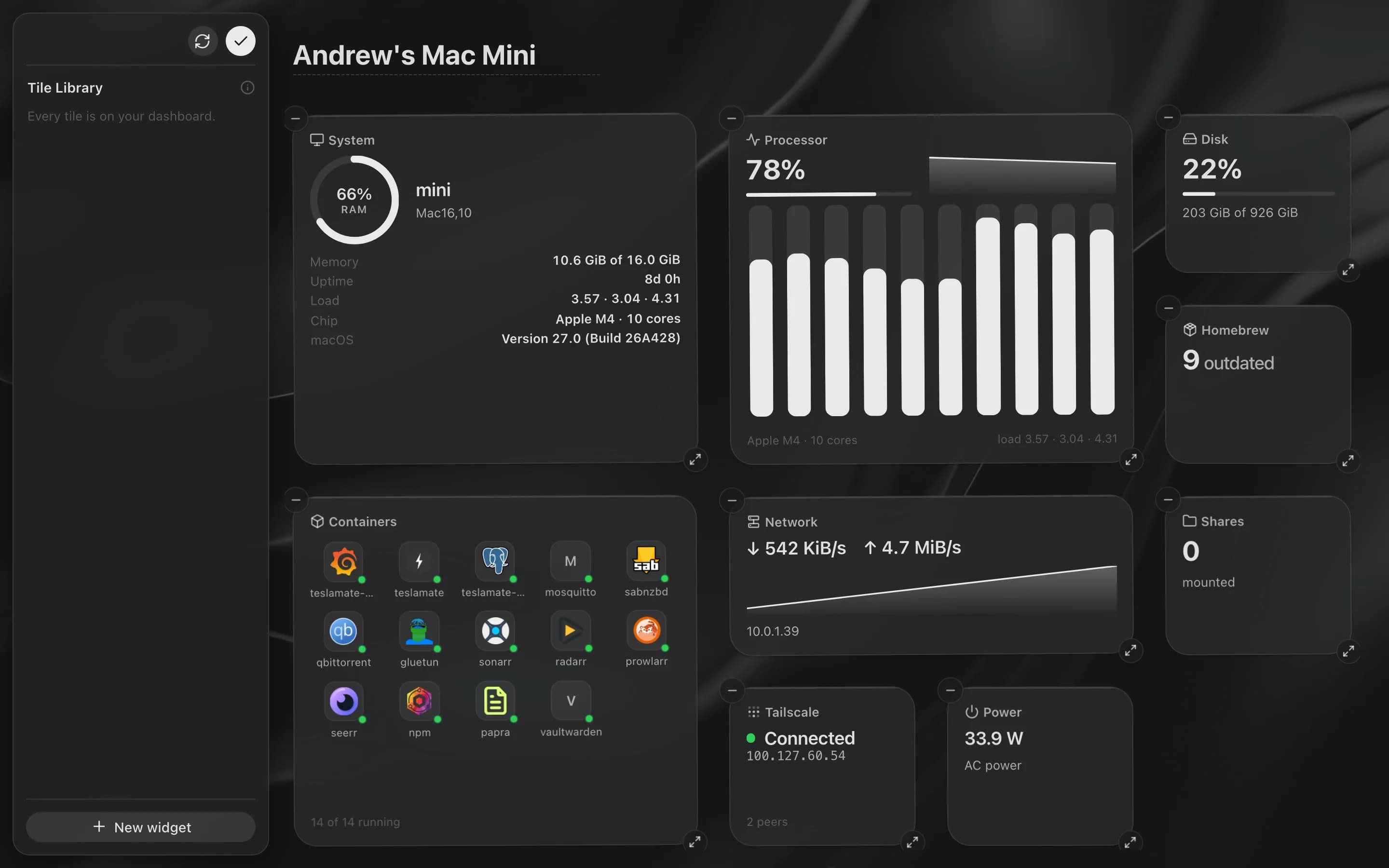
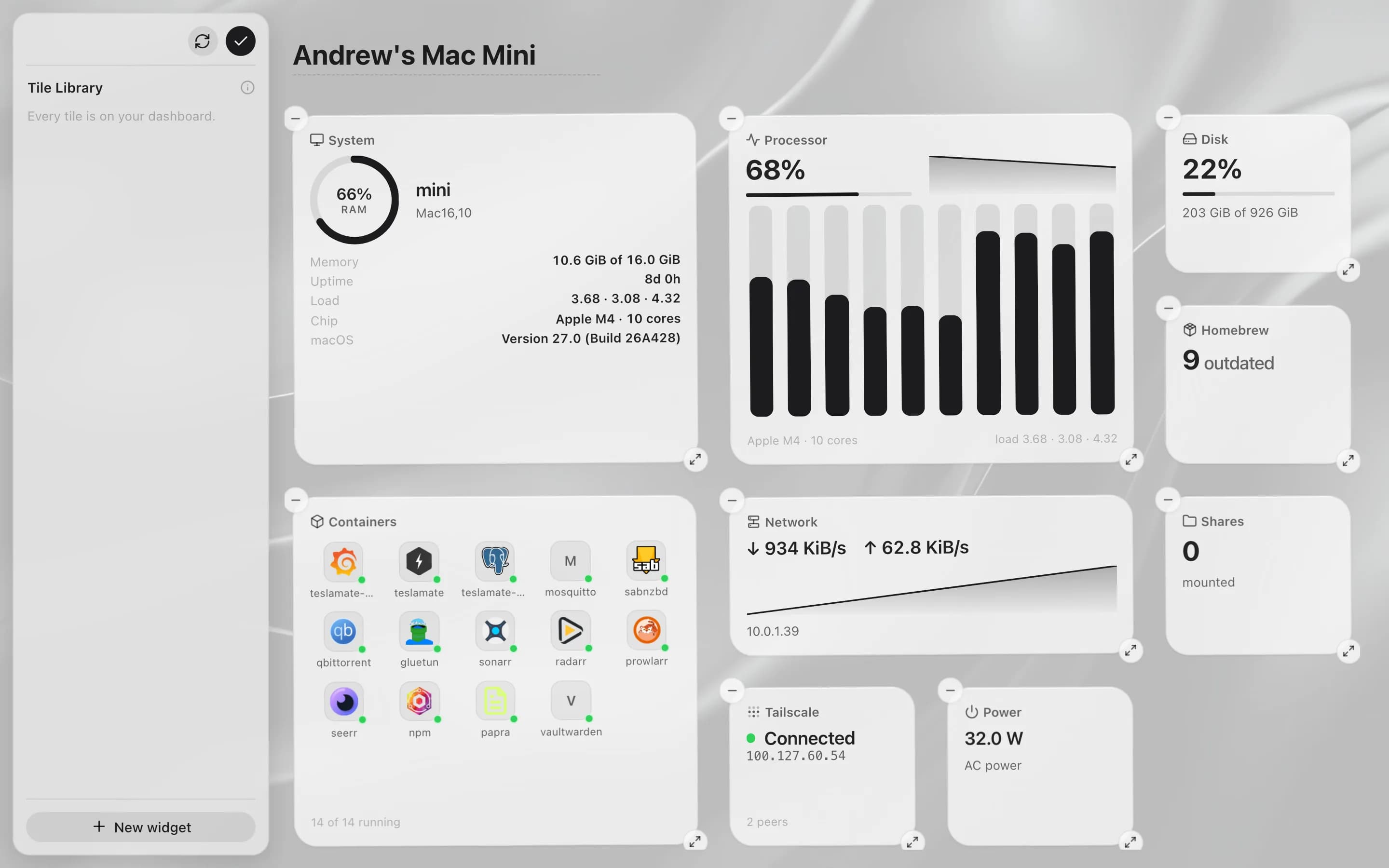
Press and hold a tile or an empty spot for about half a second, or click the pencil icon (Edit dashboard) in the toolbar. The Tile Library opens in place of the sidebar, or as a sheet at the bottom of a phone screen, and lists the widgets that aren't on a page.
- Drag a tile to move it, or hold it at the edge of the board to carry it to the neighboring page.
- Drag a widget onto the Tile Library to put it away. Click or drag a Library tile to place it.
- A tile's badges change its size and remove it: widgets go back to the Library, and app tiles are removed. Admins also get a pencil badge on custom widgets that opens the Widget Editor.
- Add a page with the + beside the page dots. Remove page, at the bottom of the Library, appears when the current page is empty.
- The refresh icon (Reset layout) at the top of the Library asks first, then brings back the six default tiles on one page at Normal spacing and removes pinned app tiles.
Press Escape or click the checkmark (Done) to finish. Tile spacing is set in Settings → Bento Dashboard.
Pin an app to the dashboard
Open a container on the Containers page and click Pin. It lands on the last page as an app tile with its logo, state, and image. While the container runs with a published port, Open → on the tile opens it in a new tab.
Wallpaper
Admins set the server's wallpaper in Settings → Appearance → Wallpaper: a JPEG, PNG, or WebP image up to 8 MB, or an MP4 video up to 64 MB. Choose how it fits (Fill, Fit, Center, or Tile), its opacity and blur, whether a video loops, and where it shows: Dashboard, or All screens, where Udon dims and blurs it further so controls stay readable. Every account sees the same wallpaper.
Theme and appearance
Settings → Appearance, which only admins can open, has one theme picker with ten options, each drawn as a miniature of the app: System, Light, Dark, and seven dark color themes such as Zinc, Pure Black, and Tokyo Night.
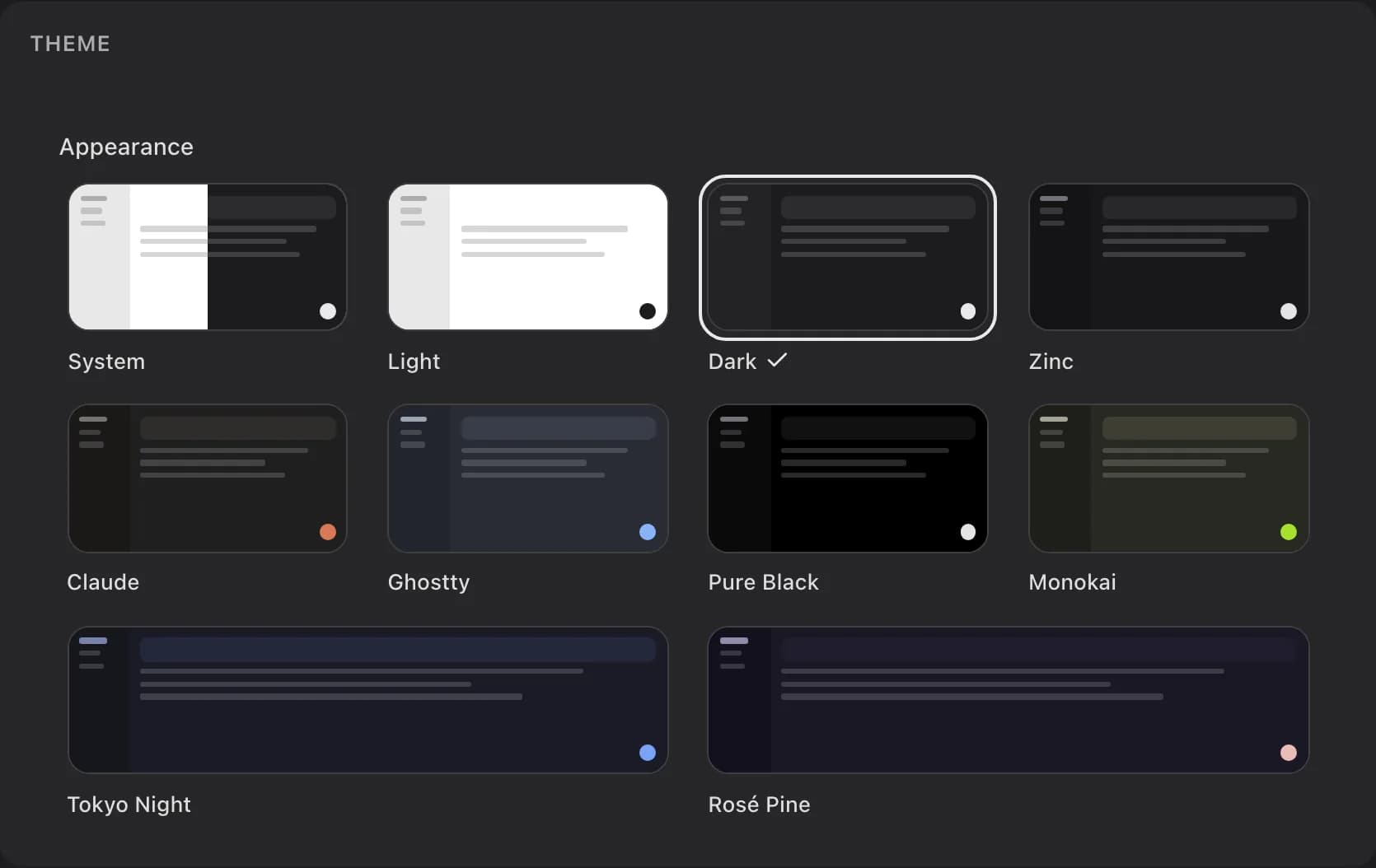
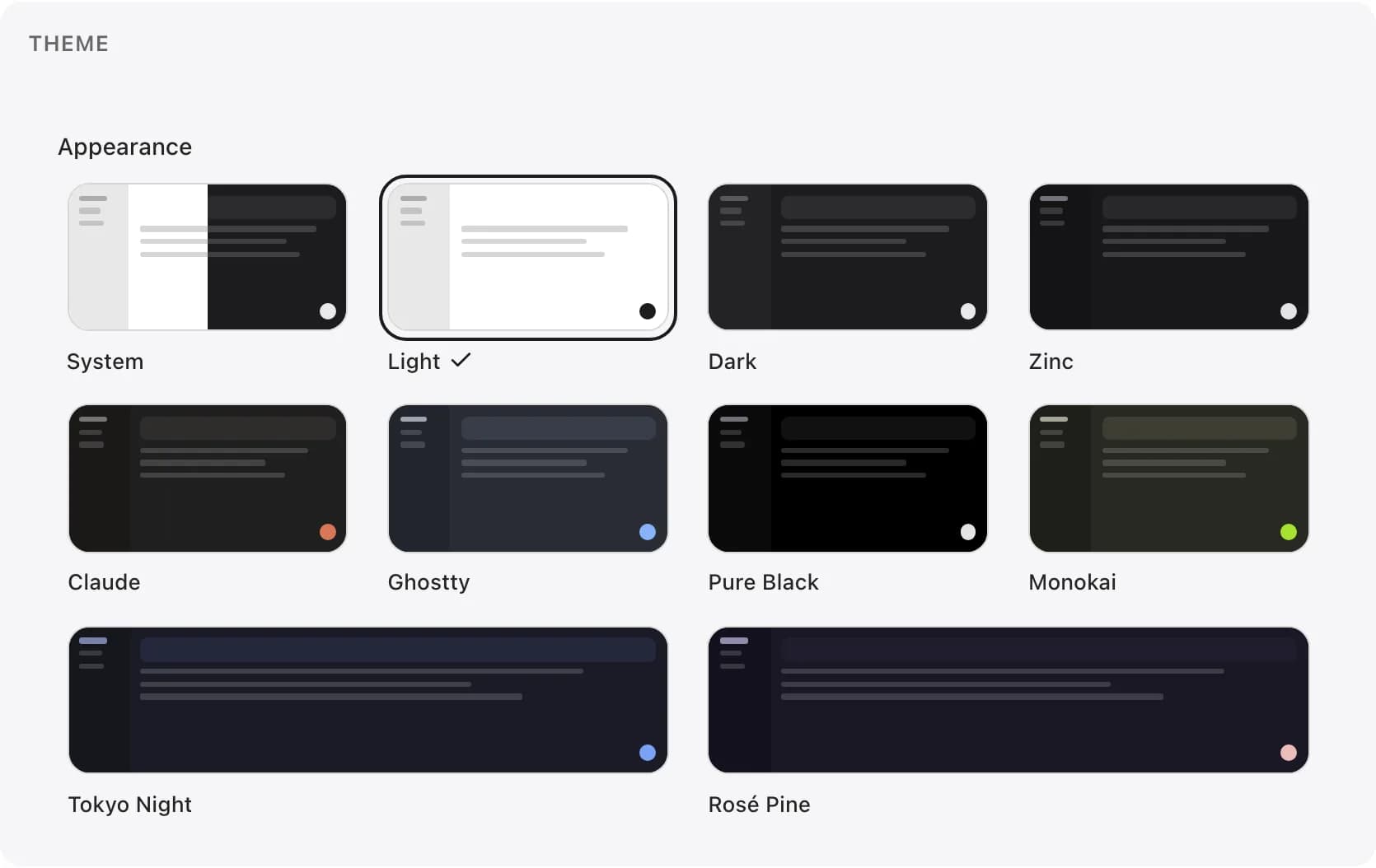
The same tab sets the interface font (System, Rounded, Helvetica, Avenir, Inter, Manrope, IBM Plex Sans, Source Sans 3, Space Grotesk, Serif, or Monospace, each previewed in itself), an interface scale from 90% to 125%, a Rounded or Squared style, Colorful or Unified app icons, and Reduce motion, which turns off animations and transitions (your device's own setting works too). These settings follow your account, along with your language and dashboard layout.
The Login tab sets the sign-in screen's headline, description, card position, and background for everyone. Custom holds a CSS editor.
Name your server
The server is called "Udon" until you rename it. The name shows in the dashboard header and the browser tab, and on the sign-in screen when no login headline is set. Admins rename it by typing into the title in edit mode, or in Settings → General → Server name.
Restart or shut down the Mac
Admins get two icons in the dashboard toolbar, left of the pencil: Restart and Shut down. Each asks first ("This stops every running container. You have 60 seconds to cancel before it happens."), then starts a 60-second countdown that the daemon runs, so it goes ahead even if you close the tab. A pill counts down on every page and every device, and an admin can cancel it with the pill's close button. Both go through Udon's Admin Privileges, so an app left open on the Mac can't hold them up.
When a new release is available, an update icon joins the same toolbar. It shows the release notes, and admins install from there.
Search everything
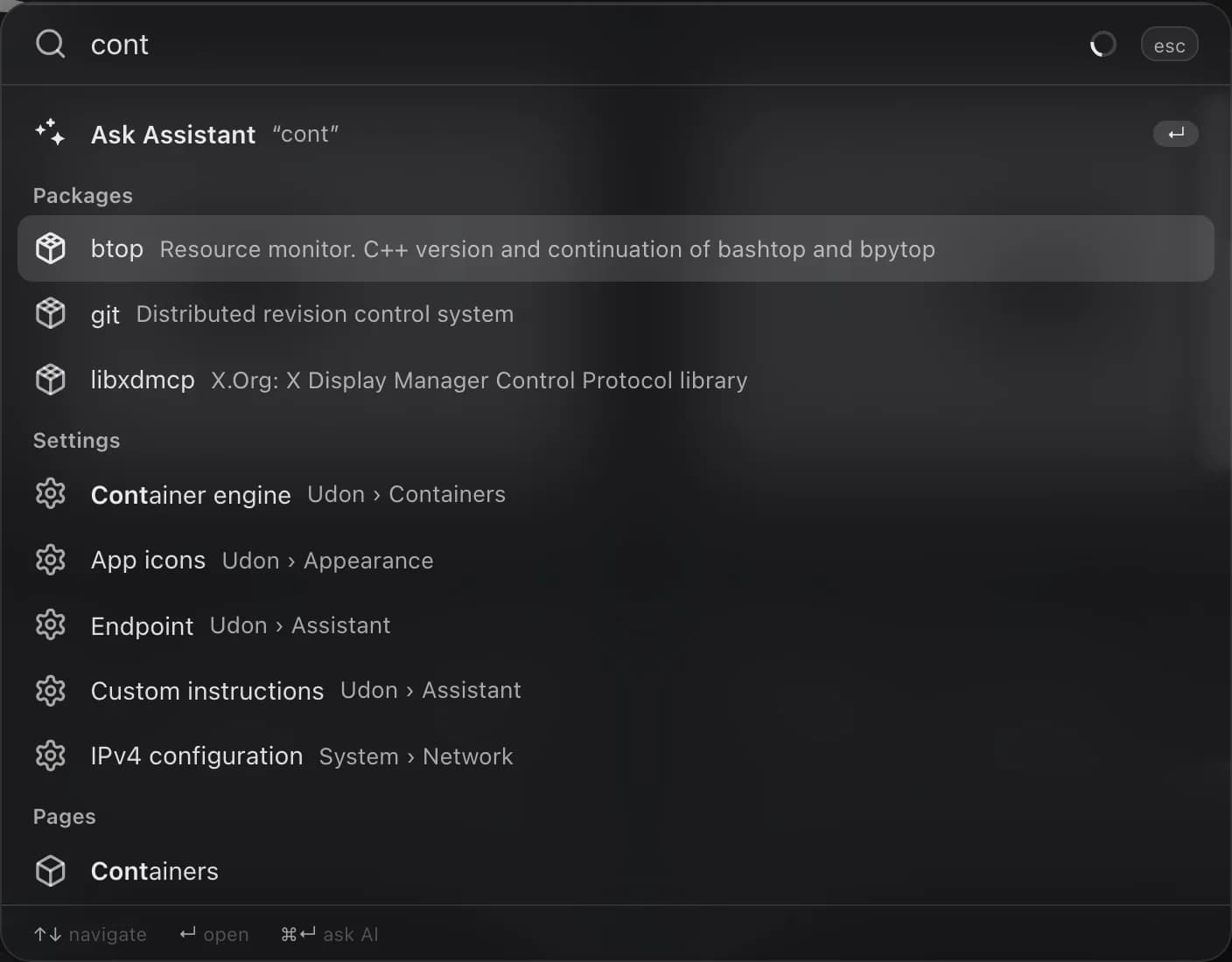
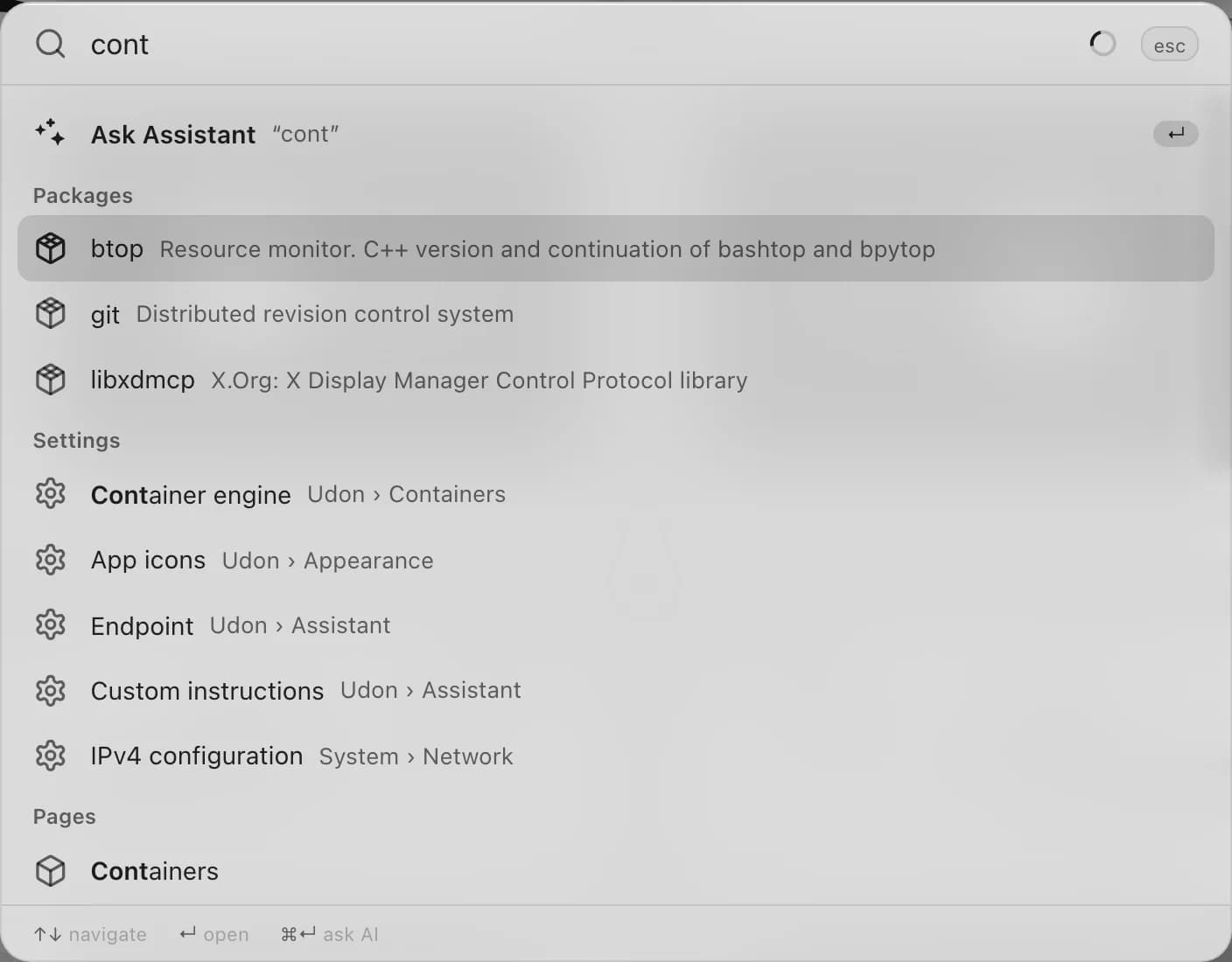
Press Cmd+K or Ctrl+K anywhere outside a text field, a terminal, or the Widget Editor, or click the Udon wordmark at the top of the sidebar (point at it to see the running version). On the dashboard you can also start typing. The palette finds pages, individual settings (try "wallpaper" or "2fa"), containers, App Store apps, installed Homebrew packages, and, for operators and admins, file names in your storage. With the AI assistant on, it also lists workflows, and Ask Assistant turns your query into a chat.
On a phone
In a window about 900 pixels wide or narrower at the default interface scale, such as a phone's browser, the dashboard switches to a phone layout; text stays the same size. The menu button in the top-left corner opens a drawer with a search button, the sidebar's pages ending with Settings, and a card with your username and the server's address that opens Settings → My Account. The button beside the card sends feedback.
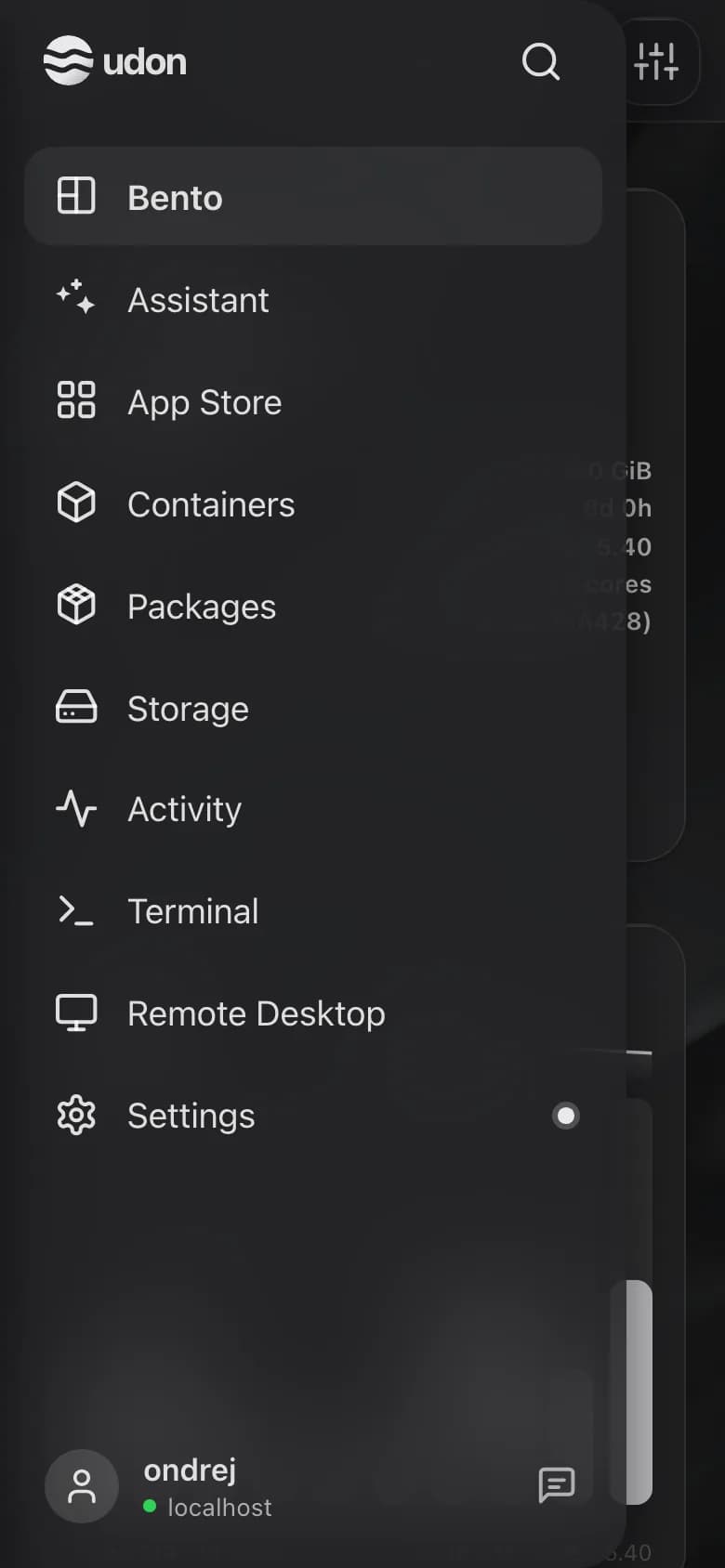
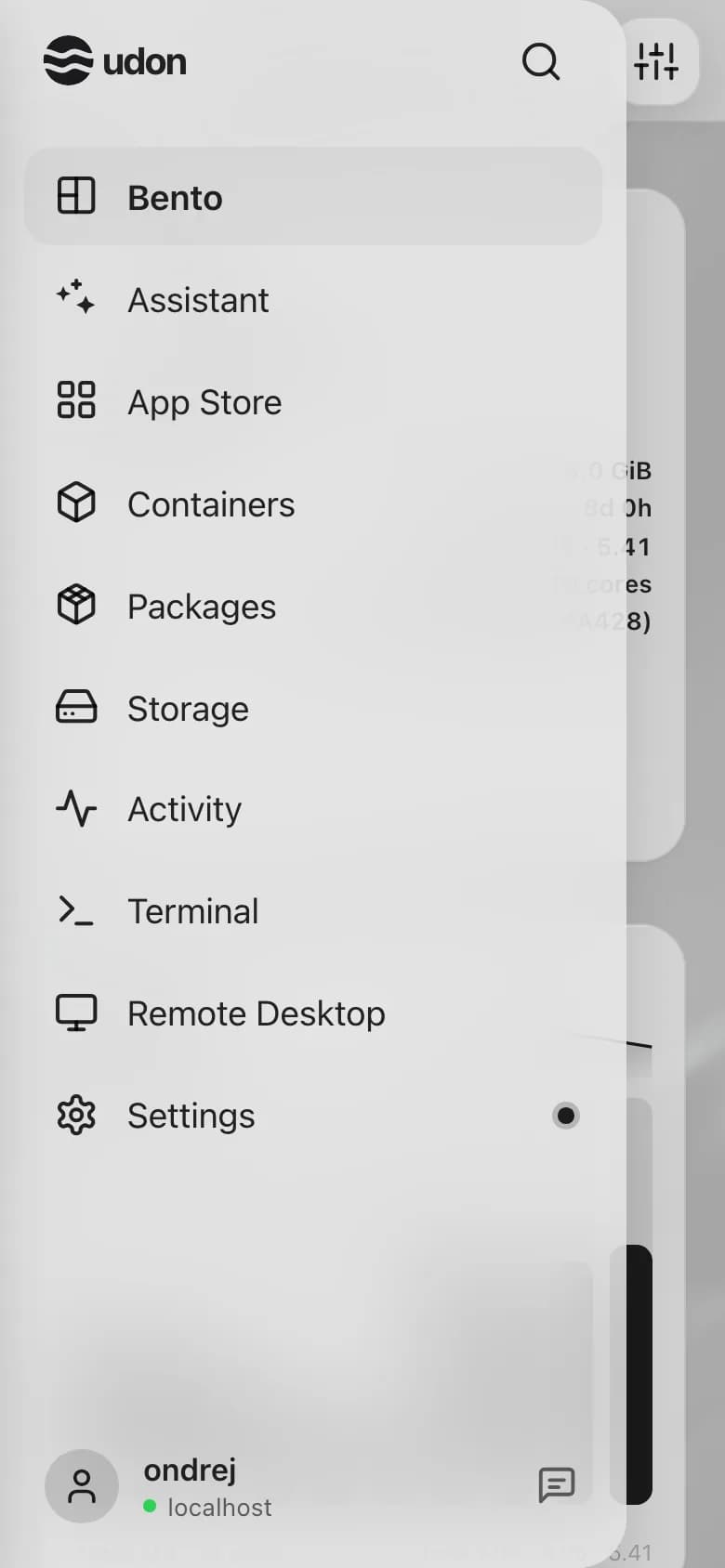
A page opened from inside another, such as a Settings page or a terminal session, shows a back arrow in place of the menu button, and pages with sections of their own add a sections button. A page's search sits under its title. Its actions sit behind the button in the top-right corner; on the dashboard that's Edit, plus Update, Restart, and Shut down when they apply.